.png)
Document Inactivation x Document Reactivation
Managing the availability of records on the platform is essential to keeping your database organized and up to date. McFile allows you to change a document's status whenever necessary, ensuring that only relevant items are visible for immediate use.
Inactivating a record
Inactivation is the recommended process for hiding records that should no longer be used but need to remain recorded in the system.
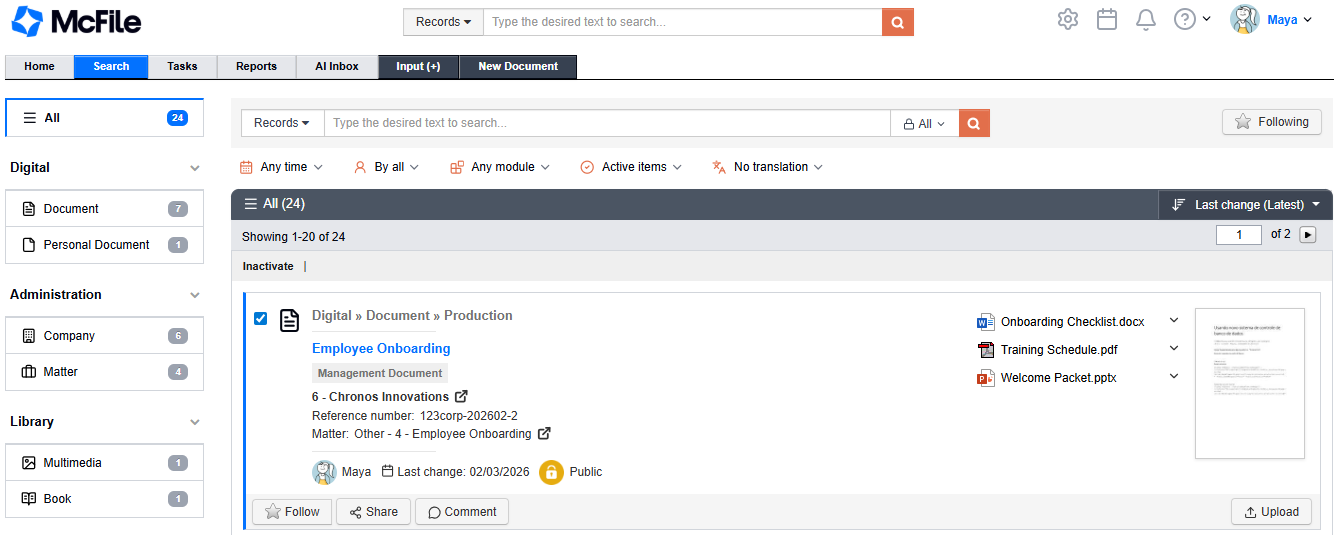
1. Use the search field to locate the record you wish to deactivate.
2. Select the desired item from the results list.
3. Click the Inactivate option in the top search menu.
Reactivating a record
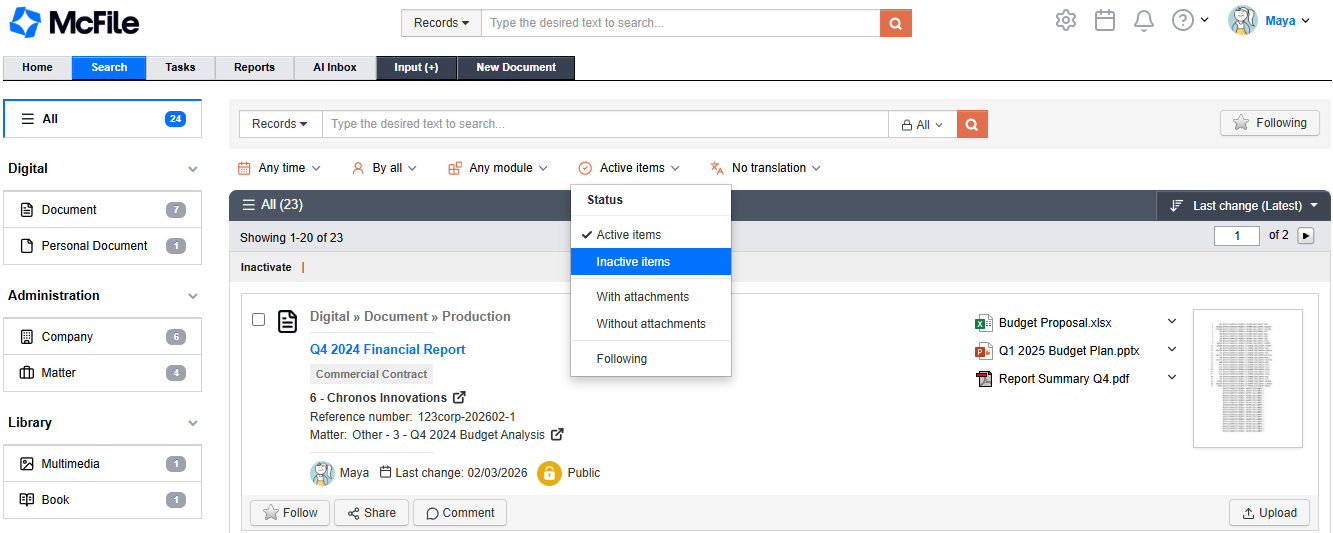
If you need to use a previously deactivated record again, you can quickly restore its active status using search filters.
1. Perform a search filtering specifically for records with an inactive status.
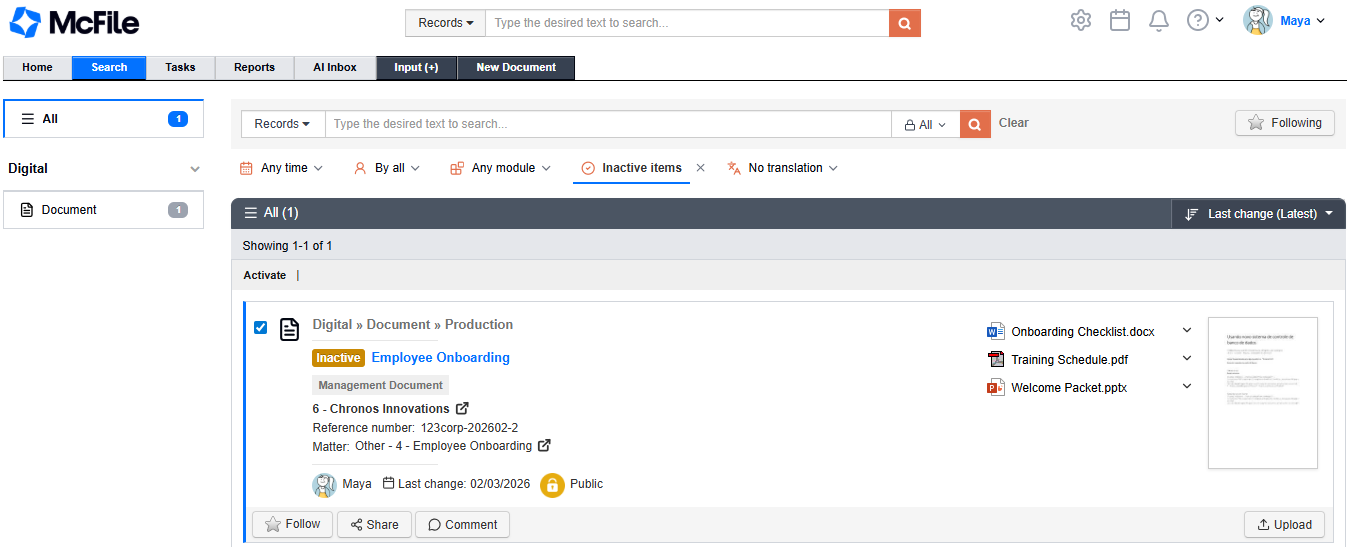
2. Select the record that should return to use.
3. Click the Activate option in the top search menu.