.png)
Generating audit report
The Audit Report is an essential tool for monitoring and verifying actions performed within the platform. It offers a detailed view of activities, allowing the user to apply specific filters to ensure transparency, security, and control over the operations executed in the system.
Accessing the Audit Report
Access to the audit report is done directly through the system's management query area.
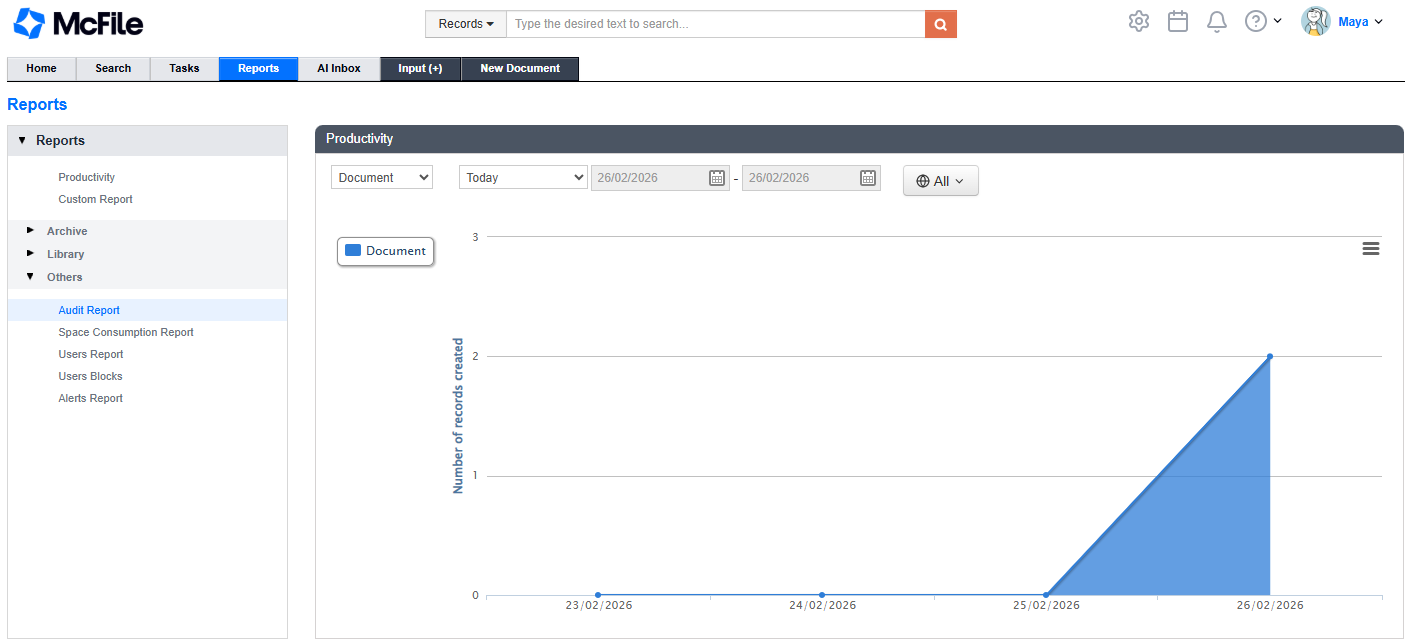
1. Access the McFile reports page by clicking on Reports in the navigation menu.
2. In the Reports section, select Audit Report.
Configuring and generating the report
To obtain accurate information, it is necessary to configure the search parameters according to the interval or action you wish to analyze.
1. Determine the query period by filling in the Start Date and End Date fields.
2. Select a specific user if you want to filter actions performed by only one person.
3. Choose the operation type to segment the report by categories, such as file creation, editing, or deletion.
4. Click the button corresponding to your preferred format (PDF, HTML, XLS, or TXT), located at the top of the screen, to generate and download the final report.
Viewing the report
After configuring the filters, the system processes the data and makes the file available for review in your preferred format.
McFile generates the document displaying the date and time of the action, the responsible user, the operation type, and additional information with technical details of the event.